
Creating Your First Workspace
A step-by-step walkthrough for creating the first workspace and configuring the minimum setup for a team.
A Workspace is your primary and fully isolated operating environment. In iTasks, it’s the "top-level" container: it holds your projects, tasks, team members, and the HelpDesk database. A workspace ensures that data from one company or team is completely separated from another.
How is it different from a project?
- ● Data Isolation: Customer and member information in one workspace is completely inaccessible from any other workspace.
- ● Access Management: You can granularly assign rights to projects within a workspace, but you cannot share data or access directly between different workspaces.
- ● Team Roster: Each workspace has its own independent list of users. Even if the same people work across different teams, they are treated as separate members with independent roles.
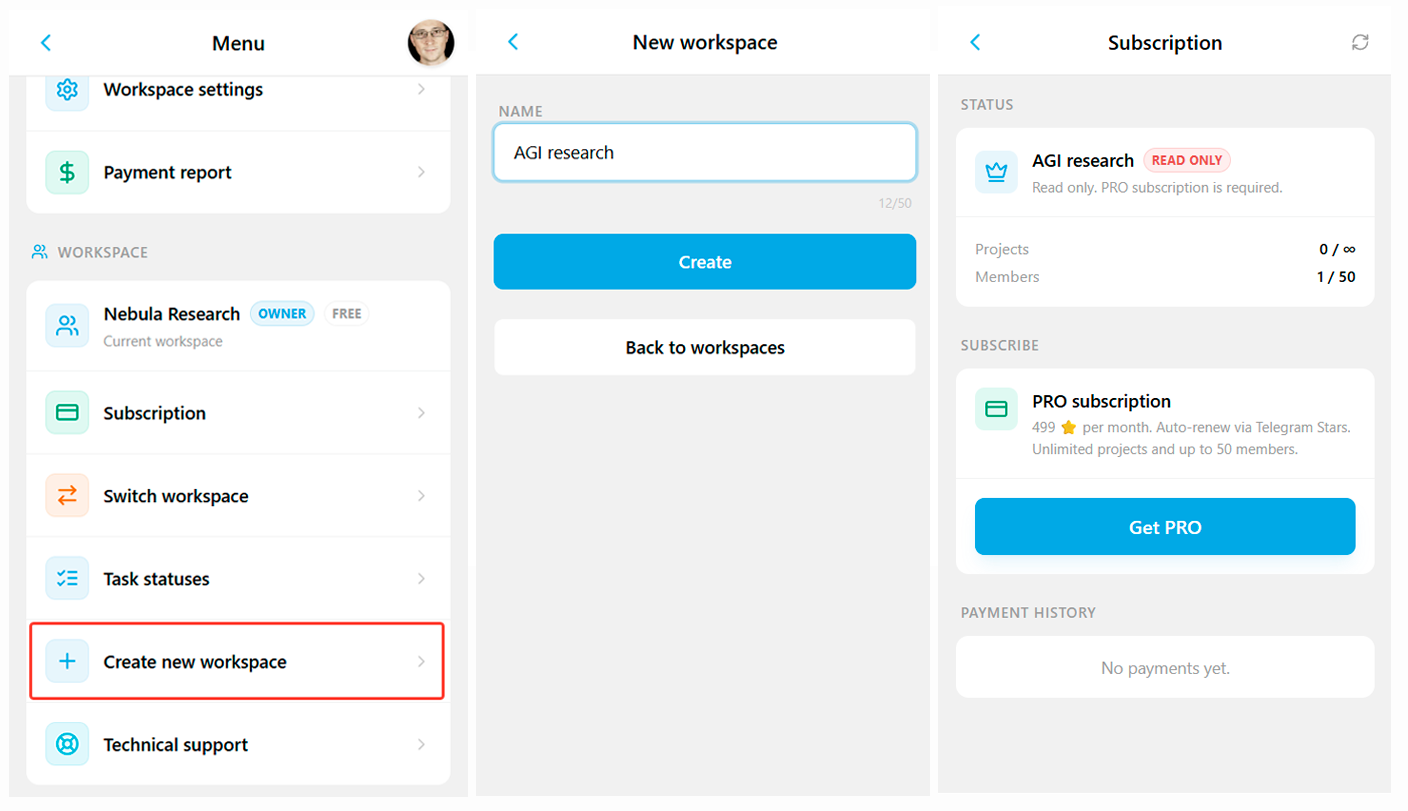
Pricing and Limits: The free plan includes one active workspace. Any additional workspaces will stay in "Read-only" mode until a subscription is activated.
How to create a workspace?
There are two ways to create a workspace.
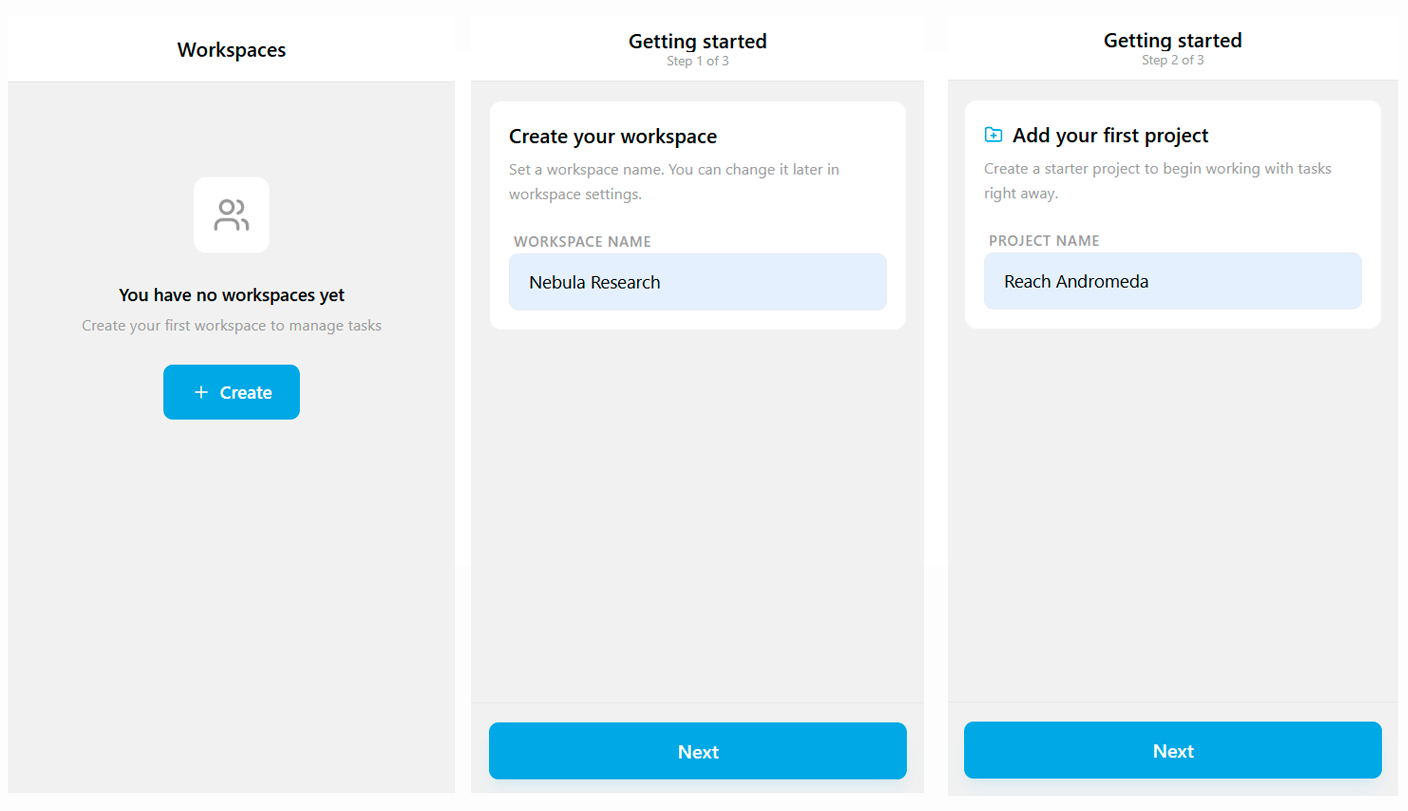
1. Initial Launch (Onboarding)
If you've just joined iTasks, the onboarding wizard will guide you through 3 simple steps:
- Name: Specify your brand or team name.
- First Project: Create a foundation for your future tasks.
- Finish: Your workspace is ready — you can start working or invite members right away.
2. Via Workspace Menu
If you need to create another workspace (e.g., for a different department), you can do it anytime:
- Click on the current Workspace name in the top-left corner of the home screen.
- Select Create new workspace.
- Enter the name of the new workspace and confirm.
Related topics
How to open iTasks, sign in through Telegram, and what to do if you see the access restriction screen.
How to choose the current workspace, switch between workspaces, and understand plan-related limits.
What lives on the home screen, how task view modes work, and where to find the core actions.
Want to try this scenario in the app?
Open iTasks in Telegram now, and come back here when you need a full step-by-step guide.
Open iTasksExplore more features